
Apps Fret Quest
Fret Quest
A game that teaches you every note on the neck, by sight and by ear.
Play on your phone, tablet or computer · guitar and bass
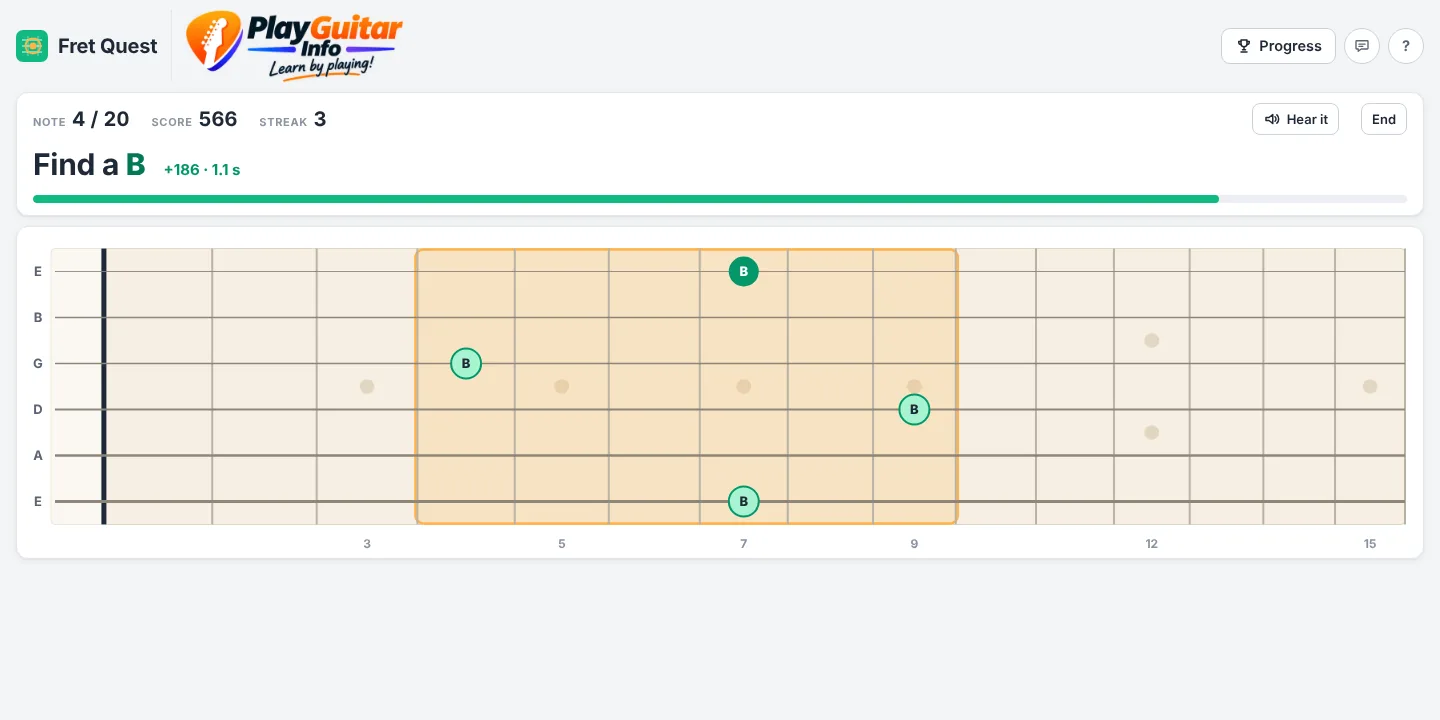
Part of the neck lights up and Fret Quest asks you to find a note. Tap it, hear it, and keep your streak going. Every note plays at its real pitch, so you learn what each spot sounds like as well as where it is. Start with natural notes and no timer, then work up to sharps, flats and a tiny box against the clock.
Made for: Guitar and bass players at any level who want to know the fretboard
Already a tester? Open Fret Quest
What you can do
Everything in Fret Quest
Three ways to play
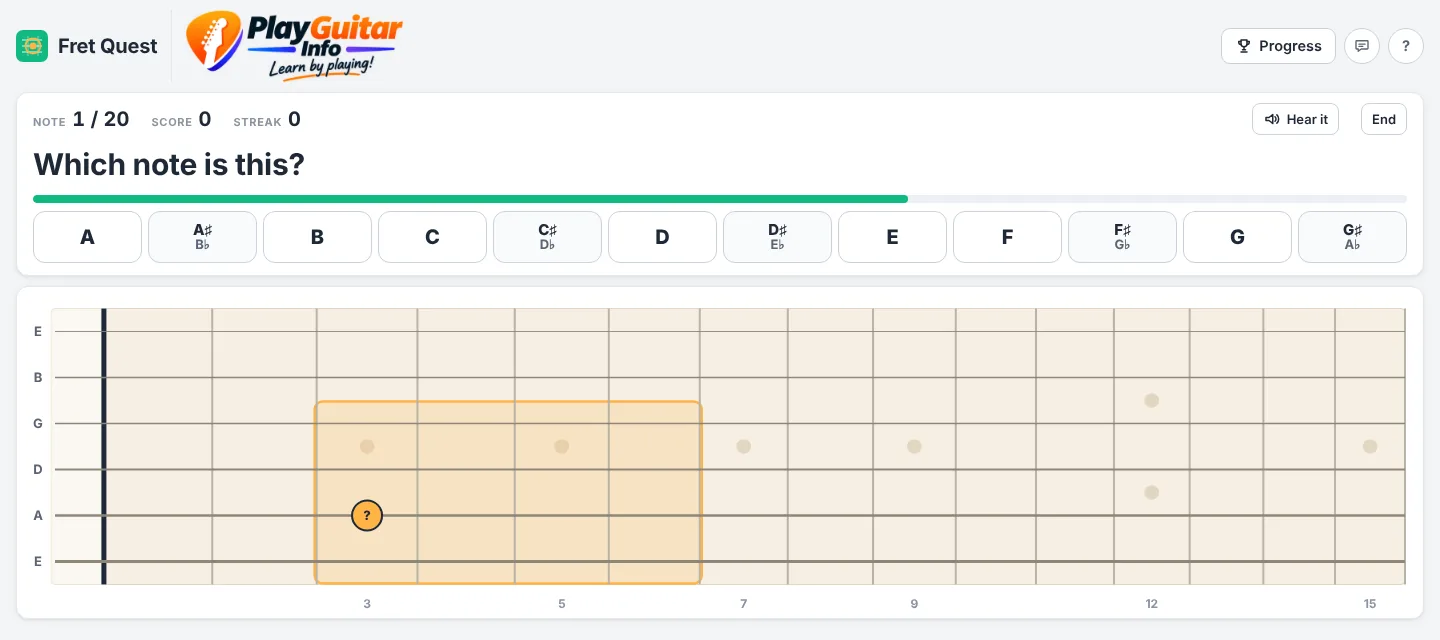
Find the note we name, name the note that lights up, or find a note by ear alone.
Train your ear too
Every note plays at its real pitch when it's asked and when you tap, so the sound and the name stick together. Turn on spoken note names if you like.
Levels that grow with you
Beginner is a small box with just one right answer, natural notes only and no timer. Each level up grows the area, adds sharps and flats and speeds up the clock, and on Advanced and Master you find every place the note appears. Or set your own.
Scores, streaks and badges
Points for speed, a multiplier for answers in a row, personal bests, 21 badges to earn and a daily challenge.
It knows your weak spots
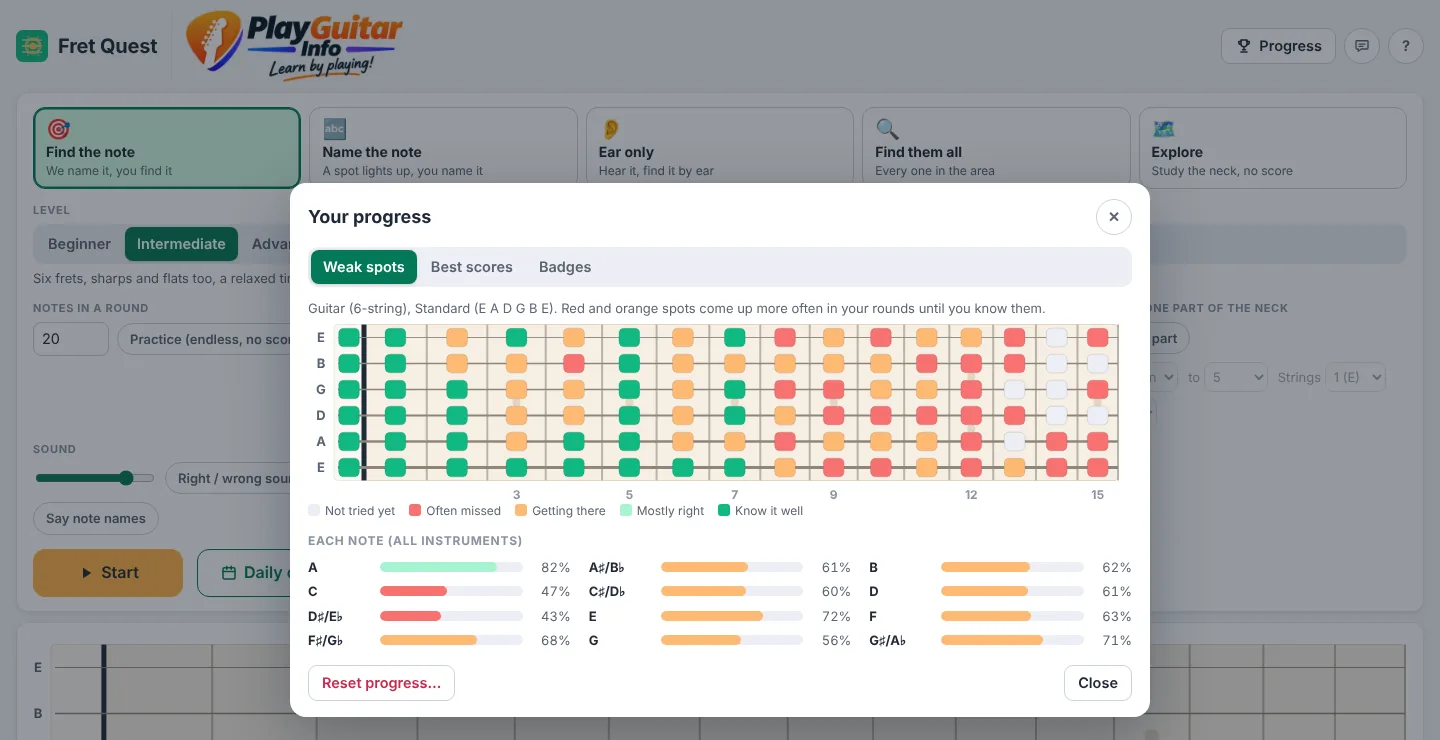
Fret Quest remembers the notes you miss or answer slowly and asks them more often. A color map of the neck shows how you're doing.
Guitar or bass, your way
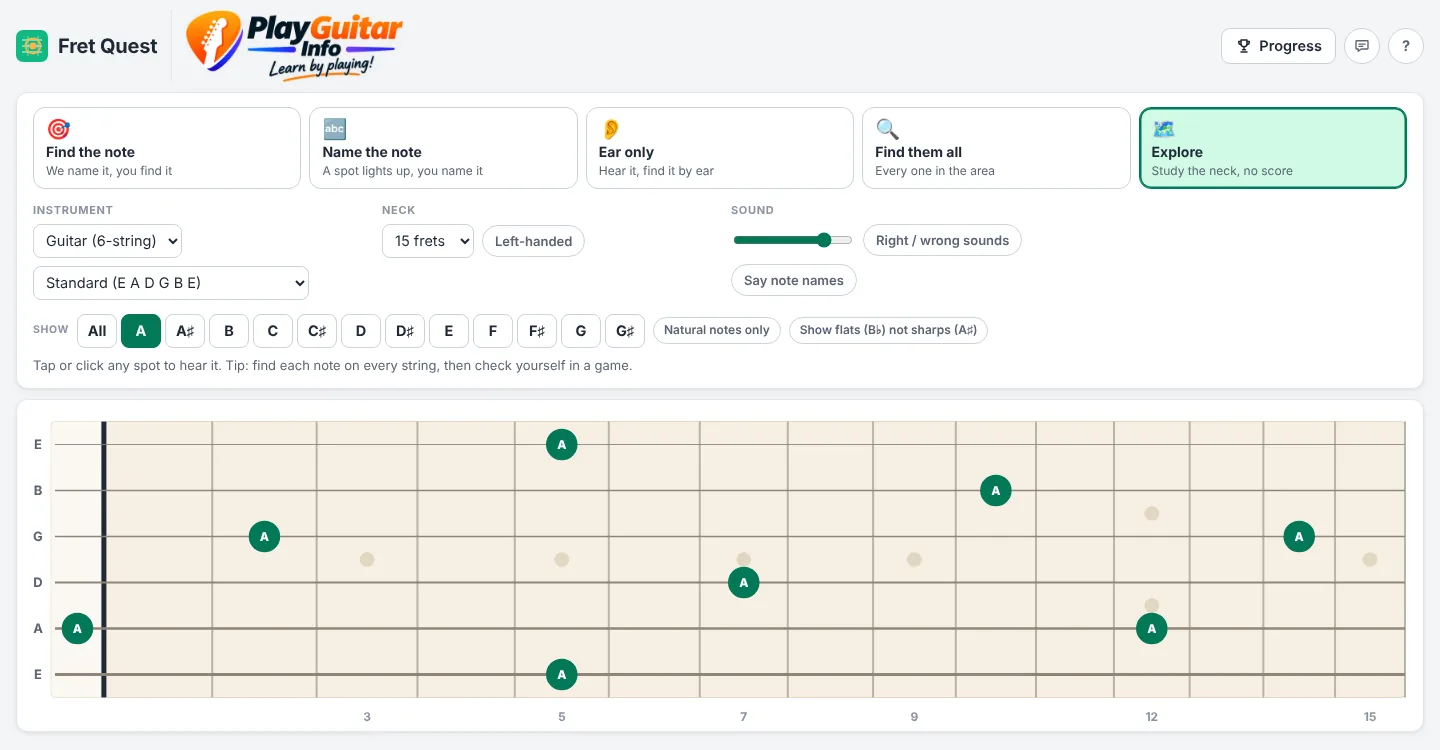
6- and 7-string guitar, 4- and 5-string bass, alternate and custom tunings, 12 to 24 frets, left-handed, or practice just one part of the neck.
Take a look
See it in action
Getting started
Three steps and you're playing
Ask for an invite
Send us a quick email with the address you want to use. It's free.
Check your inbox
Once you're added, open the app and enter your email. You'll get a one-time code to sign in, with no password to remember.
Start a round
Pick a game and a level, then press Start. Part of the neck lights up: find the note, name it, or find it by ear.
Good to know: Fret Quest runs in the web browser on iPhone, iPad, Android, Windows and Mac, with nothing to install, and you can add it to your home screen like an app. Starting a round needs an internet connection. Your scores and progress are saved on the device you play on.
Try Fret Quest
Fret Quest is in early access. Send a quick email and we'll add you as a tester. It's free.