
Apps Tabber
Tabber
The guitar tab editor that works on your phone. Write tab anywhere, hear it played back, and save it for Guitar Pro or print it as a PDF.
Made for phones and tablets · works great on PC and Mac too
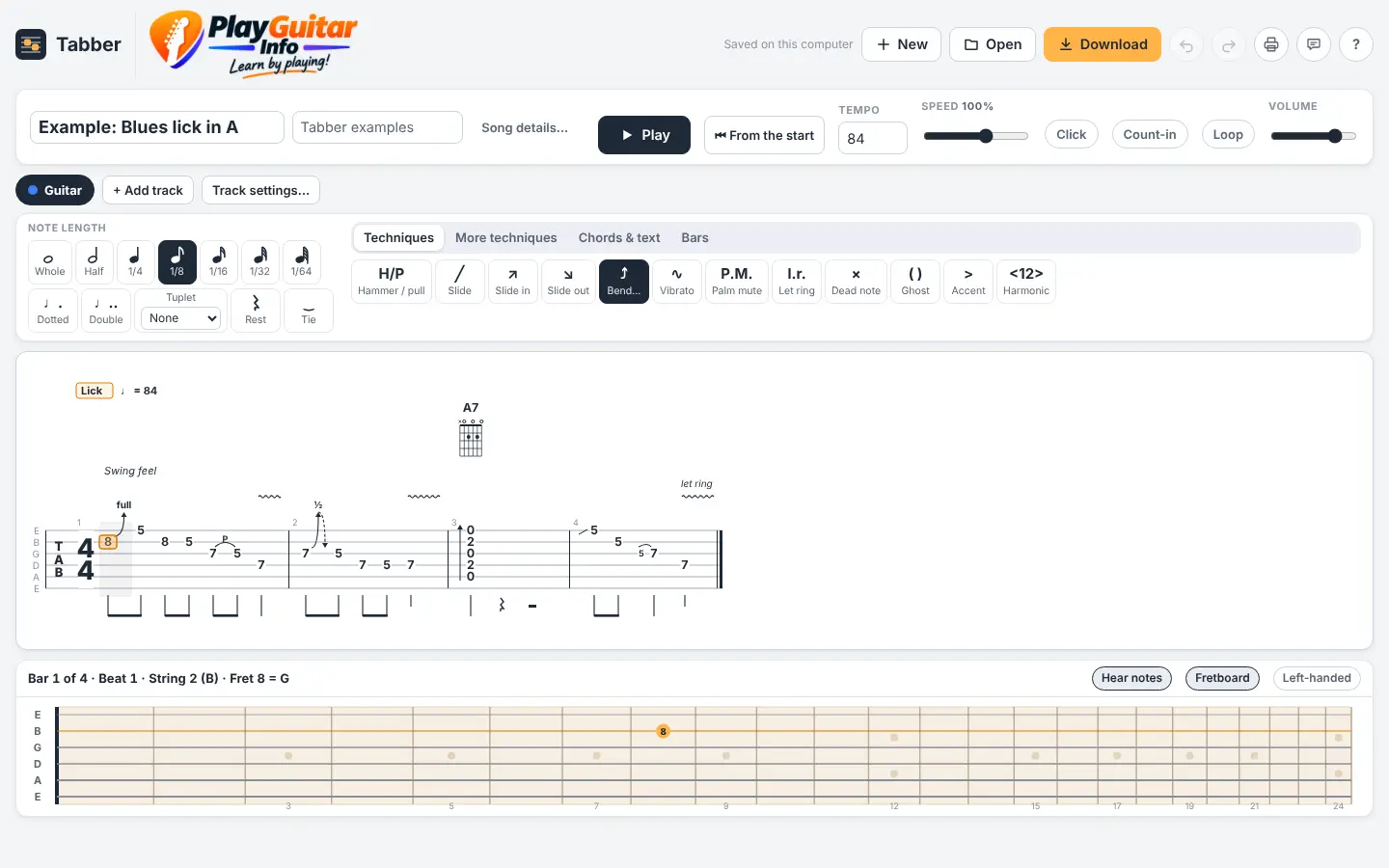
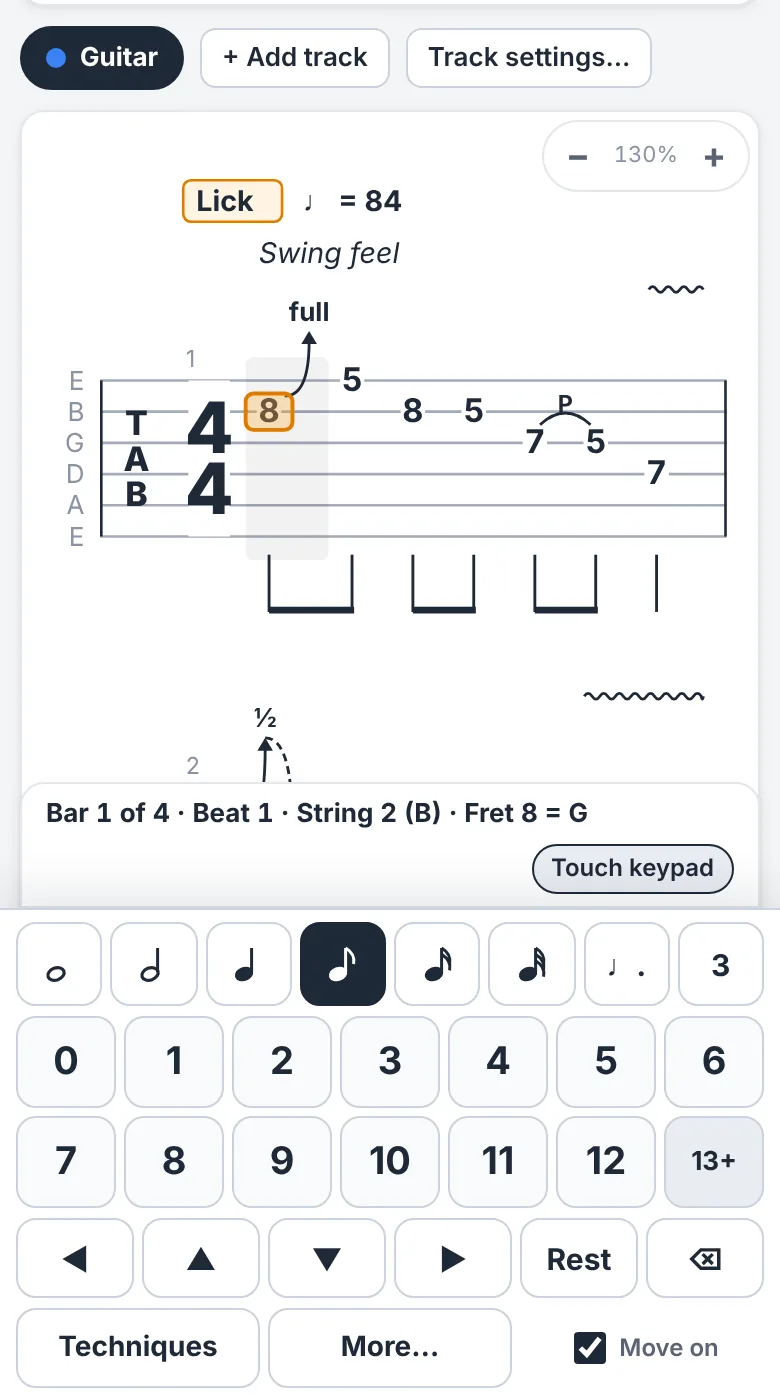
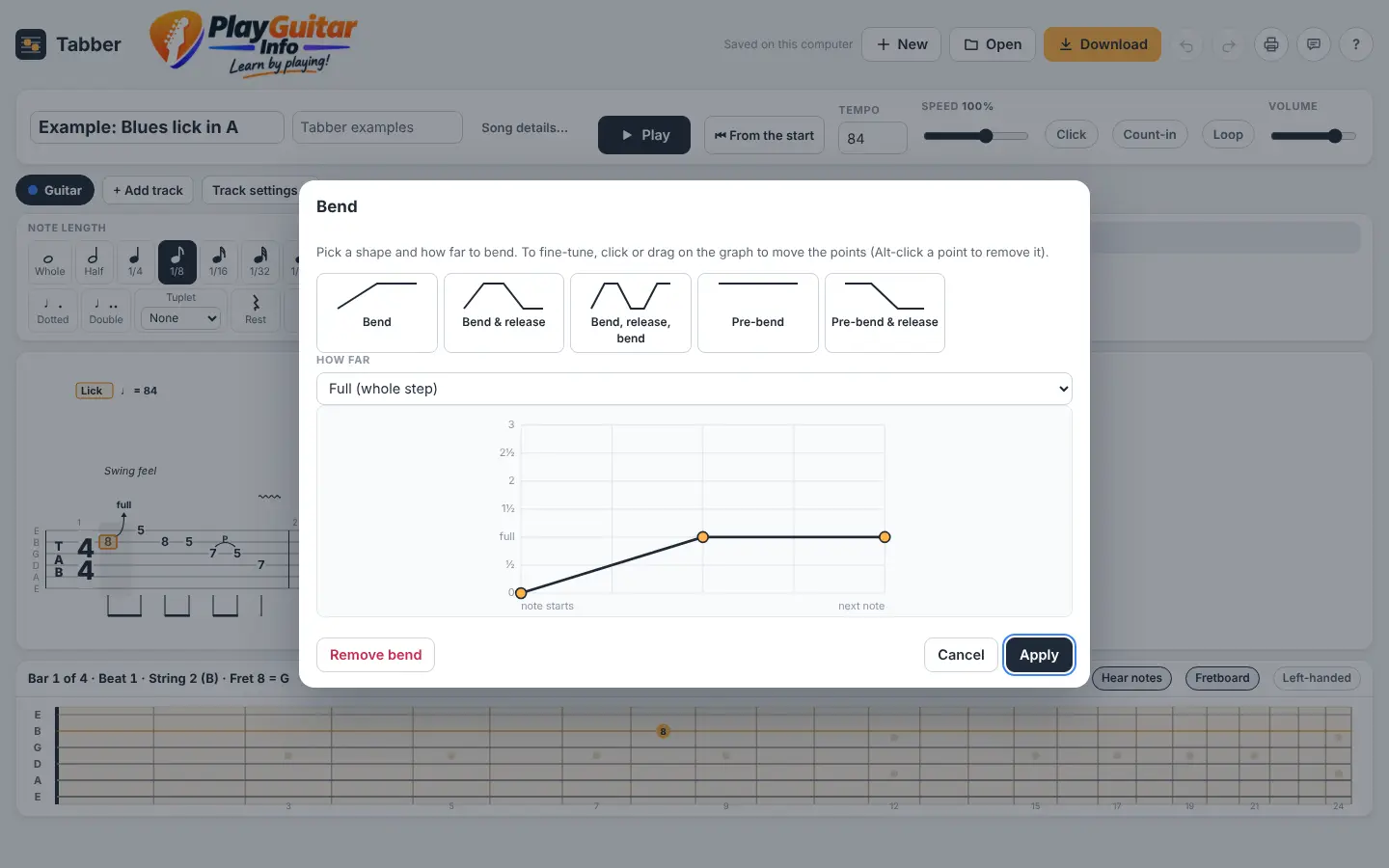
Most tab editors are hard work on a phone. Tabber was built for it: tap a string, tap a fret on the big keypad, and your tab appears with the rhythm underneath. Add bends, slides, hammer-ons and palm mutes, press Play to hear it, then carry on at your computer with the keyboard. Print a tidy lesson sheet or save a file that opens in Guitar Pro and TuxGuitar.
Made for: Teachers writing lessons, and anyone who writes tab, at home or on the go
Already a tester? Open Tabber
What you can do
Everything in Tabber
Made for phones and tablets
A big touch keypad for note lengths and frets, swipe to move along the tab, and press and hold a note for its techniques. Add Tabber to your home screen and share files straight to other apps.
Great on a computer too
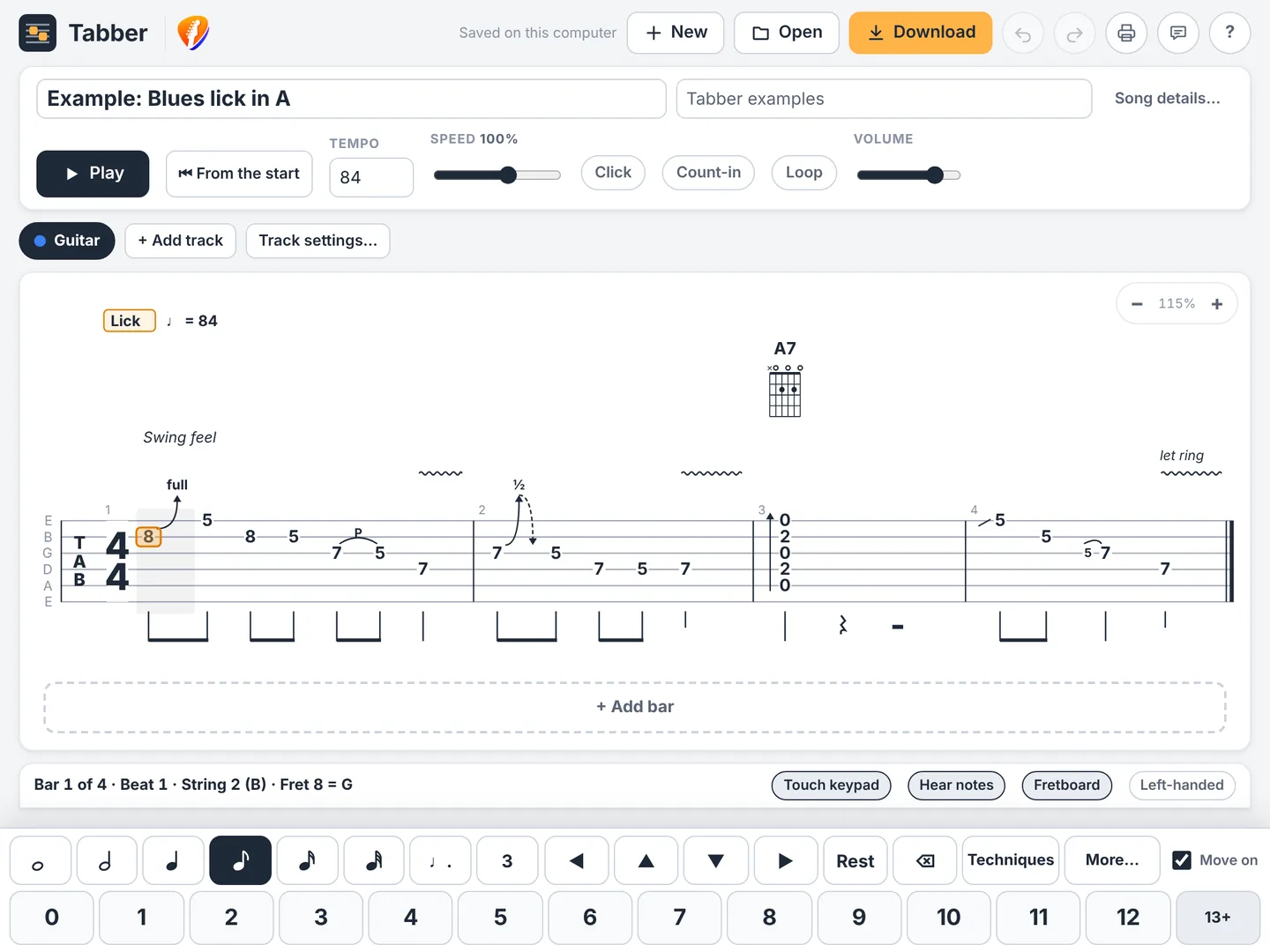
On a PC or Mac, type fret numbers and move with the arrow keys, with shortcuts like Guitar Pro's. Notes never spill into the next bar: if a note is too long, Tabber shortens it to fit.
Every technique you teach
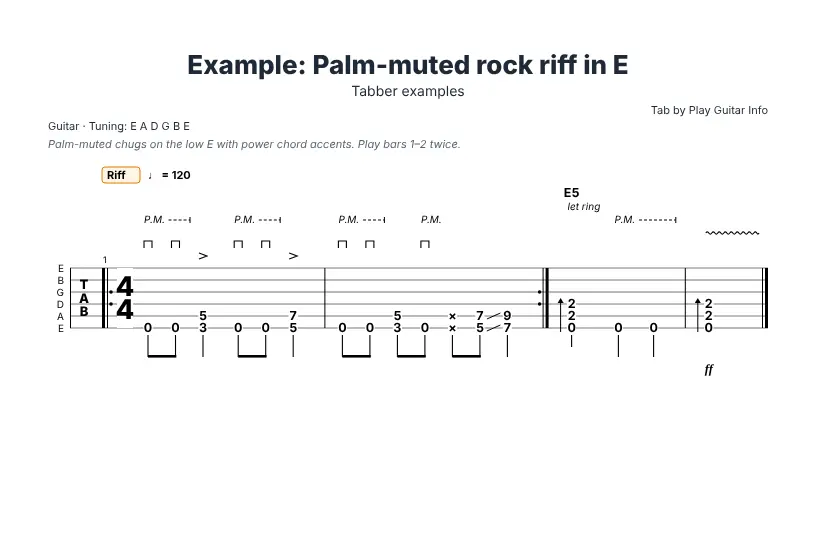
Bends and releases, slides, hammer-ons and pull-offs, vibrato, palm mutes, let ring, harmonics, tapping, trills, grace notes, whammy bar and more.
Hear it played
Press Play and Tabber plays your tab, with the notes lighting up as it goes. Slow it down, loop a few bars, or add a metronome and count-in.
Clean lesson sheets
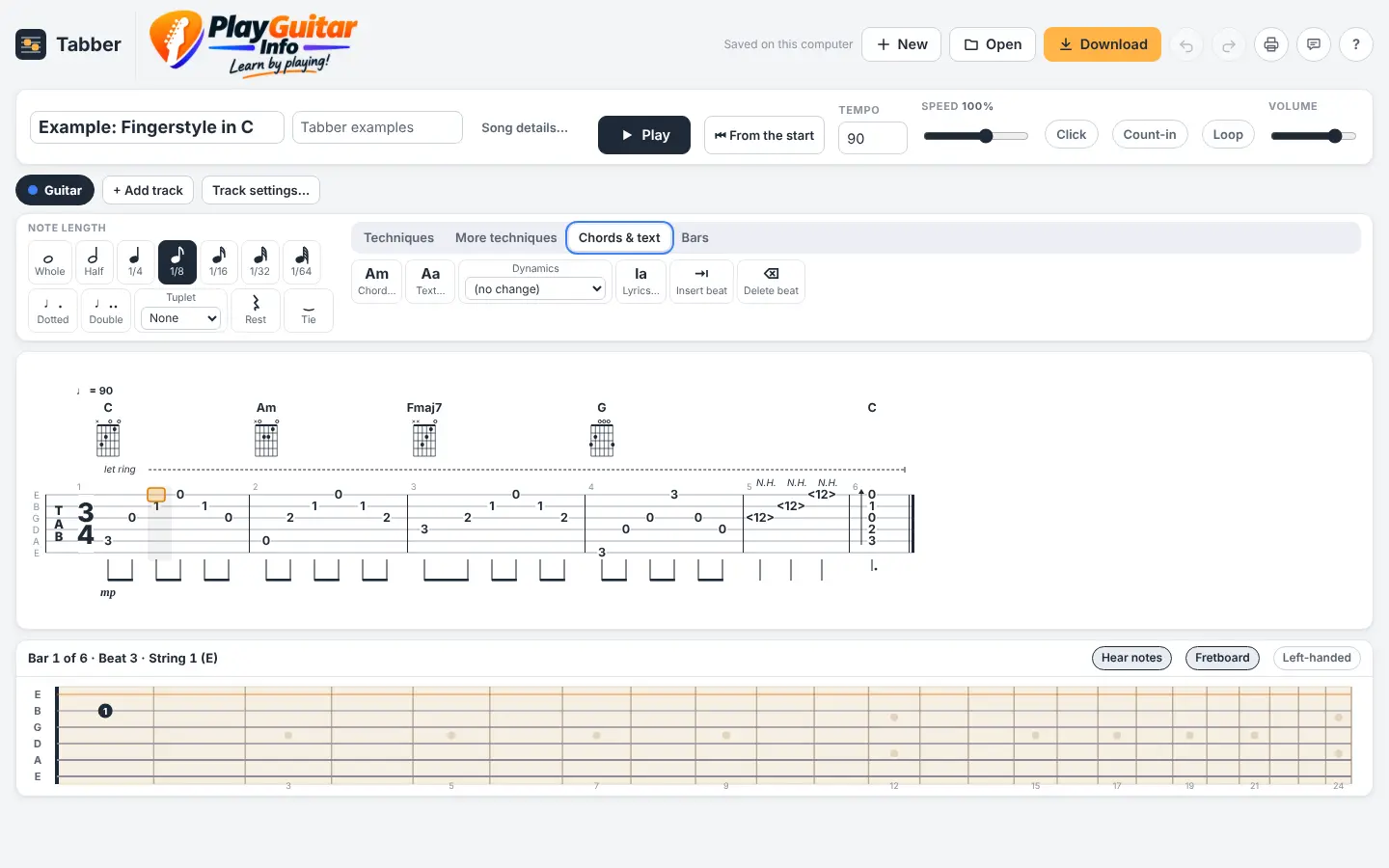
Print or save a PDF with the title, tuning, chord diagrams and page numbers, ready to hand to a student.
Works with Guitar Pro
Save as a Guitar Pro 5 file that opens in Guitar Pro and TuxGuitar, or MusicXML for MuseScore and other notation programs. Open your existing Guitar Pro files too.
Several parts at once
Guitar, 7-string, bass and ukulele parts in any tuning, with a capo, repeats, 1st and 2nd endings and tempo changes.
Take a look
See it in action
Getting started
Three steps and you're playing
Ask for an invite
Send us a quick email with the address you want to use. It's free.
Check your inbox
Once you're added, open the app and enter your email. You'll get a one-time code to sign in, with no password to remember.
Start writing
On a phone or tablet, tap a string and a fret on the keypad. On a computer, click a string and type the fret. Press Play to hear it.
Good to know: Tabber runs in the web browser on iPhone, iPad, Android, Windows and Mac, with nothing to install, and you can add it to your home screen like an app. Use headphones or speakers to hear your tab played back. Tabs are saved on the device you write them on.
Try Tabber
Tabber is in early access. Send a quick email and we'll add you as a tester. It's free.